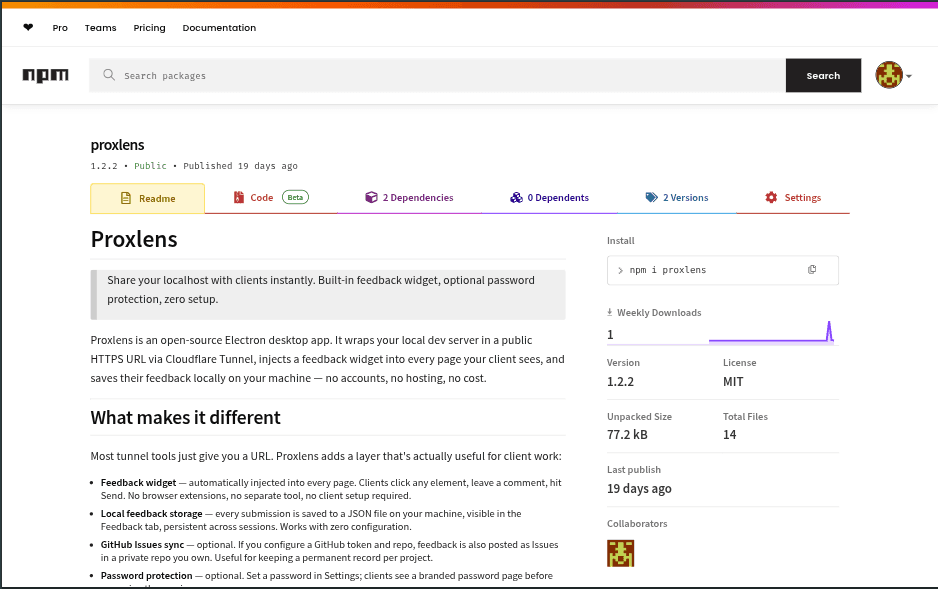
At a glance
- What it is: an open-source desktop app that gives your local dev server a public HTTPS link and adds a feedback button to every page your client sees. Clients click the exact element they mean, type a comment, and it lands on your desktop, optionally as a GitHub issue.
- My role: I built it alone, in under two days, and I still maintain it.
- Where it is now: published on npm and GitHub. It got 196 downloads in its first 72 hours, and I still use it with my own clients.
Why I built it
I'd finished a project for a client and sent it over for review before deploying. The feedback came back, but some of it wasn't clear. I asked them to clarify, and I still couldn't tell what they meant. So I asked for screenshots. Screenshot, change this, replace that, another screenshot… back and forth, again and again.
The problem wasn't the client. It was the tools. A tunnel gives a client a link, but nothing to point with. Everything else goes through email, chat, and screenshots, with no reference to where on the page they mean.
So I built the tool I wanted. I finished it before my next review with that client and used it for that review. That project was Proxlens's first real test.
What it does
- You pick a port and click Start. Proxlens gives your local server a public HTTPS link through a Cloudflare Quick Tunnel. The client needs no account, no install, and no instructions.
- Every page gets a Feedback button. The client clicks it, clicks the element they mean, and types a comment.
- Feedback arrives with context: the page, a readable description of the element (for example Button "Sign up", in Header › Nav), and a CSS selector. It's saved on your machine, shown in the app, and optionally filed as a GitHub issue.
- You know when the client is looking. A desktop notification tells you when they open the link and when feedback arrives.
- Optional password protection keeps the preview private.
When you click Stop, the link dies instantly.
Design challenges
A proxy in the middle
A tunnel alone would expose the dev server directly, leaving no way to add the feedback button. So Proxlens runs its own small proxy between the tunnel and your server. That's where the button is added, the password is checked, and visits are noticed, all without changing anything in your project.
Adding a script to compressed pages
Dev servers often compress HTML, and a page's size and transfer headers are fixed before it's sent. Change the page without handling that, and it arrives garbled or hangs.
So the proxy handles HTML differently from everything else. It reads the whole page, decompresses it (gzip, deflate, or Brotli), inserts the widget's script tag before the last closing </body> tag (so a </body> inside an inline script can't fool it), and sends the page back with corrected headers. Every other file, such as images, scripts, and styles, streams straight through untouched.
Dev servers that reject the tunnel
Modern dev servers refuse requests addressed to unknown public domains, which is exactly what a tunnel sends. The proxy rewrites each request's host to localhost before passing it on, so the dev server sees a normal local request.
Getting the link out of the tunnel
Cloudflare's tunnel tool has no API for the link it creates. It only prints it in its logs. Proxlens watches both of the tool's output streams for the link, gives up after 30 seconds with a clear message, and tears everything down cleanly if anything fails. It also finds a free port for its proxy, so it never collides with other tools.
Feedback a developer can act on
A raw CSS selector like div.sc-a1b2 > span means nothing to a client and little to a developer. The widget builds a layered description instead: what kind of element it is, its visible or accessible text, and which landmark it sits in (header, nav, footer). The selector is kept for technical reference.
To pick an element, the widget captures the click before the page's own code sees it, so clicking a link to comment on it doesn't navigate away.
The client never waits
Feedback is saved on your machine first and confirmed to the client straight away. The GitHub issue is created afterwards, in the background, so a slow or failing GitHub request never reaches the client. Your local copy is always the source of truth.
Safe with untrusted input
Feedback comes from strangers on the public internet and is displayed in the desktop app. Every value is escaped before display, and the app's interface runs in Electron's isolated mode, with only a small, explicit set of functions available to it.
Shipping it
I wanted installation to be one command: npm install -g proxlens. Two things stood in the way at first. There was no command to run after installing, and Electron was listed as a development-only dependency, so it would never have been installed for users. I added a small launcher that finds the installed Electron and starts the app, moved Electron to a regular dependency, and limited the published package to the files it needs.
npm never lets you change a published version, not even its README, so updating the docs on the npm page meant publishing a new patch version.
Decisions and trade-offs
- Only two dependencies. The proxy and the GitHub integration are built on Node's standard library. The install stays small and easy to audit, at the cost of handling edge cases myself.
- Quick Tunnels instead of accounts. No sign-up and no cost for anyone, but the link changes every time you start.
- npm instead of signed installers. Web developers already have Node, and it avoids code-signing and installer tooling. The trade-off: it's aimed at developers, not a general audience.
- Local files instead of a database. Feedback is stored as plain JSON on your machine: private, readable, and exportable in one click.
Results
- Built in under two days to fix a real client-feedback loop, then used to finish that same client's project.
- 196 npm downloads in the first 72 hours after release.
- Still in use with real clients, and still maintained.
What's next
- Live reload through the tunnel. Dev servers' live-reload connections don't pass through the proxy yet.
- Tighter access control. Stronger, per-session password tokens, rate limiting on the password page, and the password applied to every Proxlens route.
- Sturdier storage. Safer file writes, and keeping the GitHub token in the operating system's secure storage.
- Tests and automated checks on every change, starting with the proxy.