At a glance
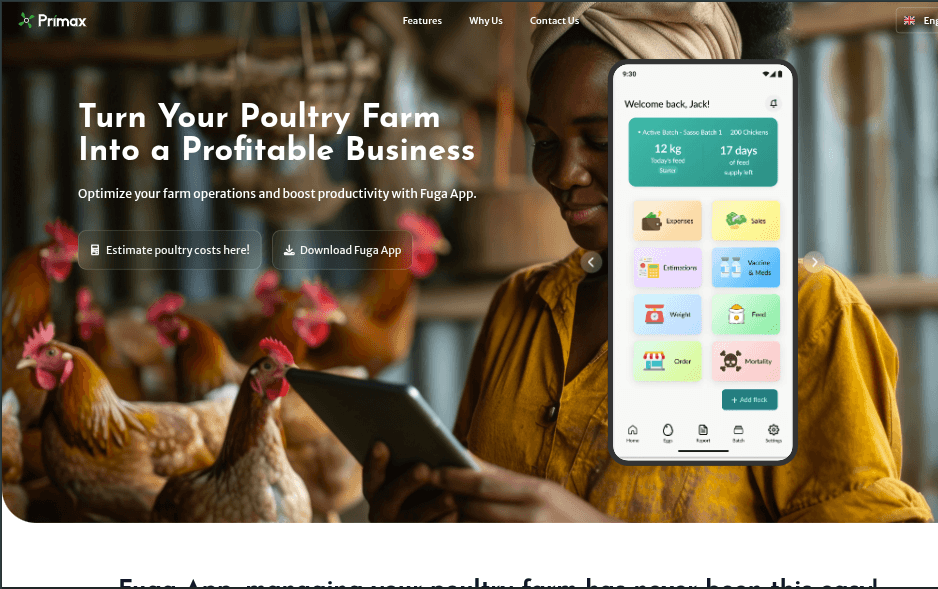
- What it is: a mobile app that helps poultry farmers in Tanzania run their farms: record feed, deaths, vaccinations, eggs, weight, sales, and expenses per flock, see profit and loss, learn husbandry, and order supplies with delivery. It works in English and Kiswahili.
- My role: I lead the mobile app at Primax. I built most of it, own its architecture and release pipeline, and approve its key technical decisions.
- Where it is now: 6,000+ downloads across the App Store and Google Play, and still actively developed.
The problem
Most small poultry farmers keep records on paper, or not at all. Without records it's hard to know whether a flock is actually profitable, when feed will run out, or when a vaccination is due. Losses show up late, when they're expensive.
Fuga turns everyday farm events into answers: profit and loss per flock, laying rates, feed consumption, and what it will cost to start the next one.
Building it well meant designing for the farmers who use it:
- Connections are unreliable in rural areas, so the app has to be useful offline and must never lose a session because of a bad signal.
- Phones are shared, so one person's data must never appear for the next account.
- Language matters. Everything, including server error messages, has to read naturally in Kiswahili.
My role and the team
I made the app's first commit in February 2025 and shipped the first Play Store release that June. Since then the app has grown through seven versions, from 1.0 to 2.3.
The team is small. Jotham builds the backend, and Jackson builds Fuga's web products and contributes to the mobile app, mostly leading translations. On mobile I review and merge every pull request (86 so far), and I've written about 85% of the app's current code.
Architecture
- Expo and Expo Router. One codebase for both stores, with typed, file-based routes grouped by area: auth, onboarding, tabs, and each feature's screens.
- Feature modules. Each domain (flocks, feed, eggs, sales, the store, and so on) has its own API functions, hooks, and logic, so features stay independent.
- React Query as the single owner of server data, persisted to MMKV, a fast on-device store. I moved the app from Redux to React Query because it fit what the app actually does: nearly all of its state is server data that needs caching, refreshing, and offline access.
- Small bridges instead of circular imports. The network layer runs outside React but needs the current auth token and cache. Tiny registries connect the two without tangling their imports.
Built for bad connections
Offline-first reading
Farmers open the app and see their data instantly, even offline. The React Query cache is saved to the device and restored on launch, and an offline banner shows when the connection drops.
Writes are different on purpose. Recording farm data requires a connection. Offline writes would need syncing and conflict resolution, and a record that silently fails to sync is worse than a clear "you're offline" message. So when there's no signal, the app says so immediately instead of pretending to save.
Bug: offline-first that wasn't actually working
After adding offline support, some screens never refreshed. Reports and orders showed stale data, and switching flocks could briefly show the previous flock's numbers.
There were four causes:
- On React Native, React Query doesn't know when the phone reconnects unless you tell it, so "refresh on reconnect" never fired.
- A global setting stopped cached data from ever refreshing when screens opened.
- Some data wasn't keyed by flock, so flocks shared cache entries.
- A few refresh triggers used names that didn't match the data they were meant to refresh.
I connected the network listener to React Query so both layers agree on whether the app is online, removed the setting, keyed that data by flock, and fixed the mismatched names.
Bug: farmers logged out by a bad signal
Farmers on flaky connections were being sent back to the login screen, and some requests hung forever.
The cause: any failed token refresh, including a timeout or no signal, was treated as an expired session. There were also no request timeouts, so one hung request could block everything behind it.
The fix: the app now signs out only when the server actually rejects the refresh. Requests time out after 30 seconds and refreshes after 15. Only one refresh runs at a time, with other requests waiting for it, and each original request is retried once.
Keeping accounts separate on shared phones
Bug: the next user saw the previous user's farm
After logging out, the next account on the same phone could see the previous farmer's flocks, feed, cart, and orders. This happened to real users.
The cause: logout deleted the saved cache file, but the cache still in memory survived and was written straight back to disk moments later. Some other user-specific data wasn't cleared at all.
The fix: one teardown function that clears the in-memory cache before the stored copy, then clears every piece of user-specific data (saved addresses, notifications, recent searches, analytics identity), each step isolated so one failure can't stop the rest. Device-level settings such as the chosen language are kept.
Other session fixes
- A stale token after refresh. The network layer read the token from a reference that only updated on React's next render, so requests right after a refresh could still use the old token. Now the reference updates synchronously, before anything waits on it.
- A password in the navigation state. Registration passed the whole form, password included, to the verification screen as route parameters. Now only the phone number travels. The rest stays in memory and is cleared after verification.
- Guests reaching signed-in screens. Guest mode was enforced only on some buttons, so guests could reach other screens through header icons and deep links. Access is now enforced centrally in routing.
- Deep links landing on the start screen. Routing decided where to go before the stored session had loaded. It now waits.
The Fuga Store
In 2026 we added a store so farmers can order supplies and have them delivered, as a pilot in one region.
- The server owns pricing. The app captures a delivery pin and shows a quote; the backend calculates the fee. That can't be bypassed by an old app version, and the pricing rules and API keys stay on the server. I wrote the design note that set out how pricing is split between the app and the backend.
- The app mirrors one rule for the interface. Delivery is priced per 50 kg bag by weight, and the app uses the exact same bag formula so the cart can enforce limits before checkout. It's a deliberate, documented duplication.
- A location picker that works like Google Maps. A fixed centre pin, search limited to Tanzania, pasted coordinates, recent searches, and a satellite view. It's cost-aware too: search sessions are billed as one request, results are cached, and tiny map movements are skipped.
- Mobile-money payments. Farmers can pay by USSD push, a hosted checkout page, or cash on delivery. The app checks the payment status every 4 seconds for up to 3 minutes, then refreshes the order straight away, so a paid order never shows as pending.
- A region gate based on real location. During the pilot, the store is available only to farmers who are physically in the region, checked with live GPS instead of a profile field. A bug: it blocked every farmer in the region, because the map service returns names like "X Region" (or its Kiswahili form) and the check expected an exact match. A whole-word, case-insensitive match fixed it.
Keeping the builds green
Upgrading to newer Expo versions broke the iOS build in a chain of failures: one library's headers were rejected under the new build settings, fixing that exposed the same error in Firebase, and a broad fix then broke a different library. The final fix was a small config plugin with an explicit, documented list of the libraries that need an exception.
Another release crashed the map on every Android build. The maps library's config plugin was removing the Google Maps API key that Expo had just written, so the map crashed the moment it opened. Passing the key to that plugin as well fixed it.
Releases are automated with GitHub Actions and EAS. Merging to main builds production versions for both stores, and a manual workflow can queue any combination of build types in parallel and finishes in about two minutes.
Built for Kiswahili
The app has about 1,100 translated strings, and server error messages are translated too, so farmers never see raw English errors. Jackson leads the translation work. The Learn tab shows husbandry articles and videos, and articles are built into self-contained pages so they can be read offline.
How I work
I use AI tools throughout: to plan work, to review changes, and to verify them. I own the architecture, the decisions, the debugging, and what ships, and I properly review any code I didn't write myself before it's merged, including every pull request on the mobile app.
Results
- 6,000+ downloads across the App Store and Google Play.
- Seven releases, from 1.0 to 2.3, with builds for both stores automated.
- A dependable app on bad connections and shared phones: offline reading, no accidental logouts, and no data leaking between accounts.
What I'd do differently
- Crash reporting from day one. The app has product analytics but no crash reporting, so some problems reach us through users first.
- Tests earlier. I introduced the test suite in mid-2026. Having it from the start would have caught some of the session bugs sooner.
- Error codes instead of error text. The app translates the server's error messages by matching their wording, which breaks when the wording changes. Error codes would be sturdier.
- Revisit locked font sizes. The app ignores the phone's text-size setting to protect its layouts. That was a conscious trade-off, but it hurts farmers with low vision, and I'd like to support larger text properly.